
Up Next / Game-day guide
Game-day guideRunning walk-up music from the dugout
For the coach or team parent on the speaker: what to set up before the game, what to tap during each at-bat, what to play between innings, and how to hand the job to a volunteer.
 Free for 3 players
Pro $14.99/year for the whole team
The job
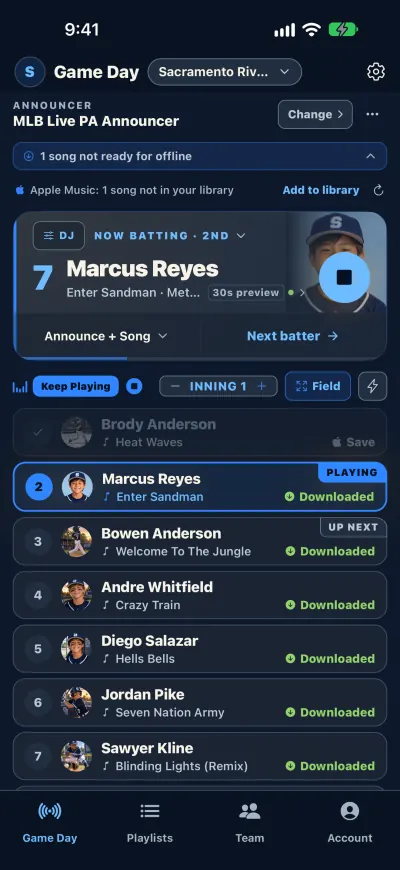
One person, one phone or iPad, one speaker. Their job is to follow the batting order, play each batter’s walk-up as they head to the plate, and keep the energy up between innings, without missing the game. It’s usually an assistant coach or a team parent, and it’s much easier when the setup is done before anyone gets to the field.
Before the game
- Charge the phone and the speaker. Bring a cable if your speaker takes one.
- Get Game Ready at home, on Wi-Fi. It downloads the announcements and preview songs so they play with no signal. Every player shows Downloaded when theirs is saved.
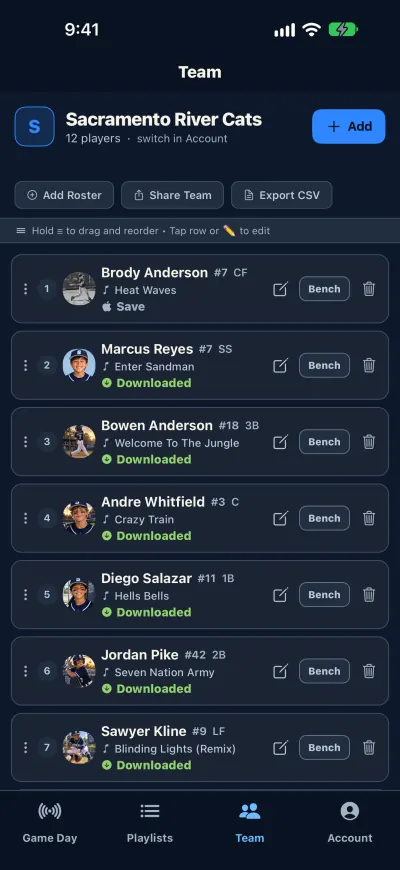
- Check the lineup. Reorder players in the Team tab, and Bench anyone who isn’t there, so they drop out of Game Day.
- Test the speaker. Game Day’s Test speaker plays an air horn so you can set the volume.
- Pick what a tap plays: Announce + Song, Announce only or Song only.
During every at-bat
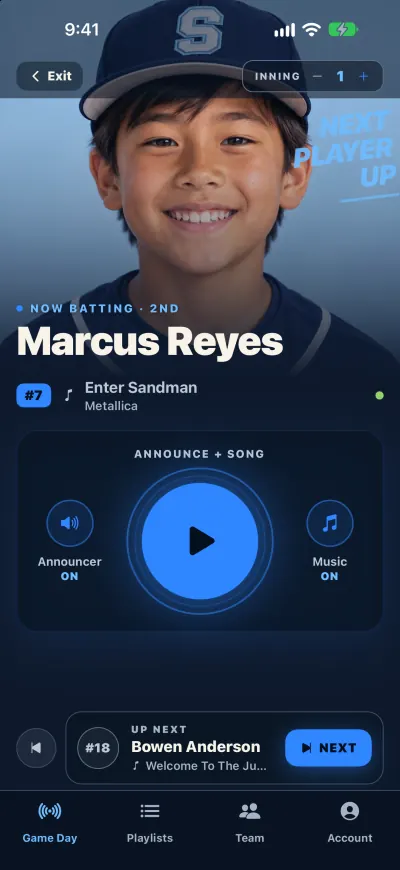
- Tap play as the batter leaves the on-deck circle. The announcer calls them, then their song comes in on its cue.
- If the at-bat stalls, tap Keep Playing and the song runs on. Stop ends it.
- Tap Next batter. The card moves to who’s on deck, and the lineup keeps track of who has batted.
Working from the bench in bright sun, switch to Field Mode: one big screen with the batter, one large button and who’s up next. With Pro (or a Game Day Pass), Play, Stop and Next batter also sit on the Lock Screen and in the Dynamic Island, so you don’t have to unlock the phone.
Between innings and big moments
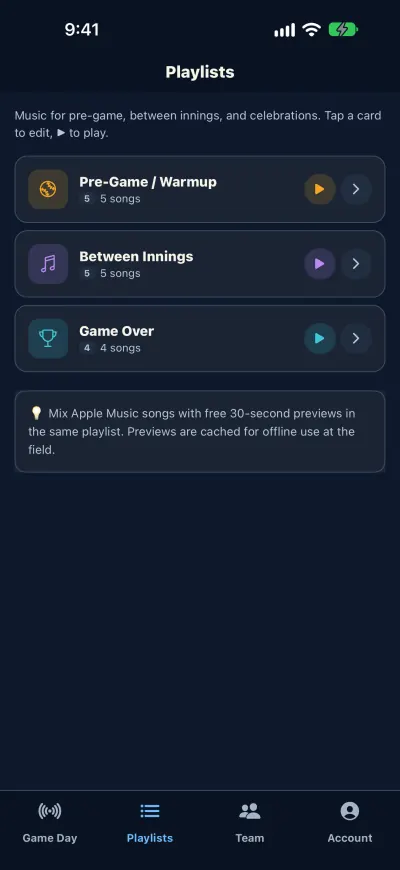
Game Day has playlists for each part of the game, Pre-Game / Warmup, Between Innings and Game Over, one tap from the Game Day screen. Playlists can mix Apple Music songs with free previews.
The soundboard carries the moments: Air Horn, Charge!, Rally Clap, Let’s Go, Crowd Cheer, Drumroll and more. Keep it short and keep it away from the pitch; you’re there to add to the game, not talk over it.
Handing it to a volunteer
The coach shouldn’t have to run the music and the game. In Up Next the head coach can invite a Game Day operator: they run Game Day, the soundboard and the playlists, but can’t change the roster or team settings.
Parents can take a job off the operator’s list too. Invite them and each one sets their own child’s walk-up song, photo and name pronunciation from a web page, so nobody spends a week chasing song requests.
On an iPad
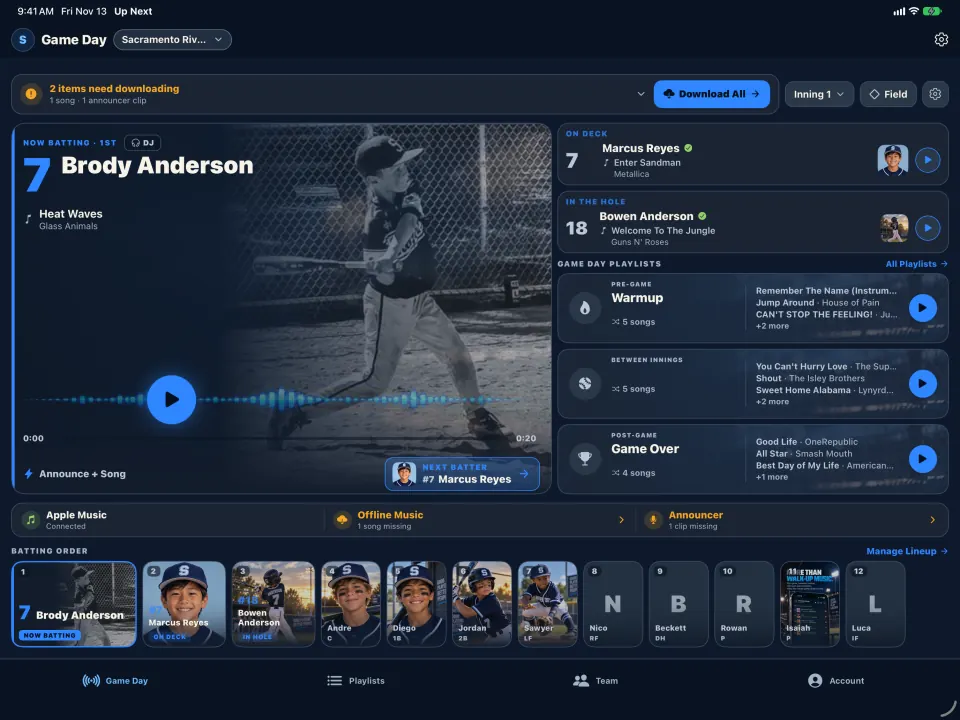
An iPad on the dugout bench shows the most at once: the batter up, on deck and in the hole, the playlists, and the full lineup as cards along the bottom. It’s the same team and the same controls as the phone.
Questions
Who should run the music?
Anyone who isn’t coaching that inning: an assistant coach or a team parent. Give them the Game Day operator role so they can run the music and playlists without being able to change the roster.
What if the field has no signal?
Run Get Game Ready at home first. Announcements and preview songs download to the device and play with no connection. Full Apple Music tracks need to be downloaded in the Music app to play offline, and Up Next lists any that aren’t.
What if a player isn’t at the game?
Bench them in the Team tab. Benched players drop out of Game Day, so Next batter skips them, and you can bring them back any time.
Can I control it without unlocking my phone?
With Pro or a Game Day Pass, yes: Play, Stop and Next batter appear on the Lock Screen and in the Dynamic Island once the game’s first walk-up has played.
Make the dugout sound like a ballpark.
Set it up at home. On game day it’s one tap per batter.
Free for 3 players · Pro $14.99/year for your whole team · iPhone and iPad